Google Keep: New Quick Filters Simplify Note Search
—
## A Major Evolution for Note Organization
For years, the Google Keep app suffered from a sorting system deemed too rudimentary by demanding users. For many years, the only available option was basic filtering by type (text, image) or color. Precise chronological sorting only arrived in August 2025, followed by the crucial keyword search feature within note content in 2026.
The Arrival of Quick-Access Filters
According to a discovery reported by Android Authority on November 18, Google’s team is actively working on a redesign of the search interface. These new tools are identified in development version 5.26.461.01.90 for the Android operating system.
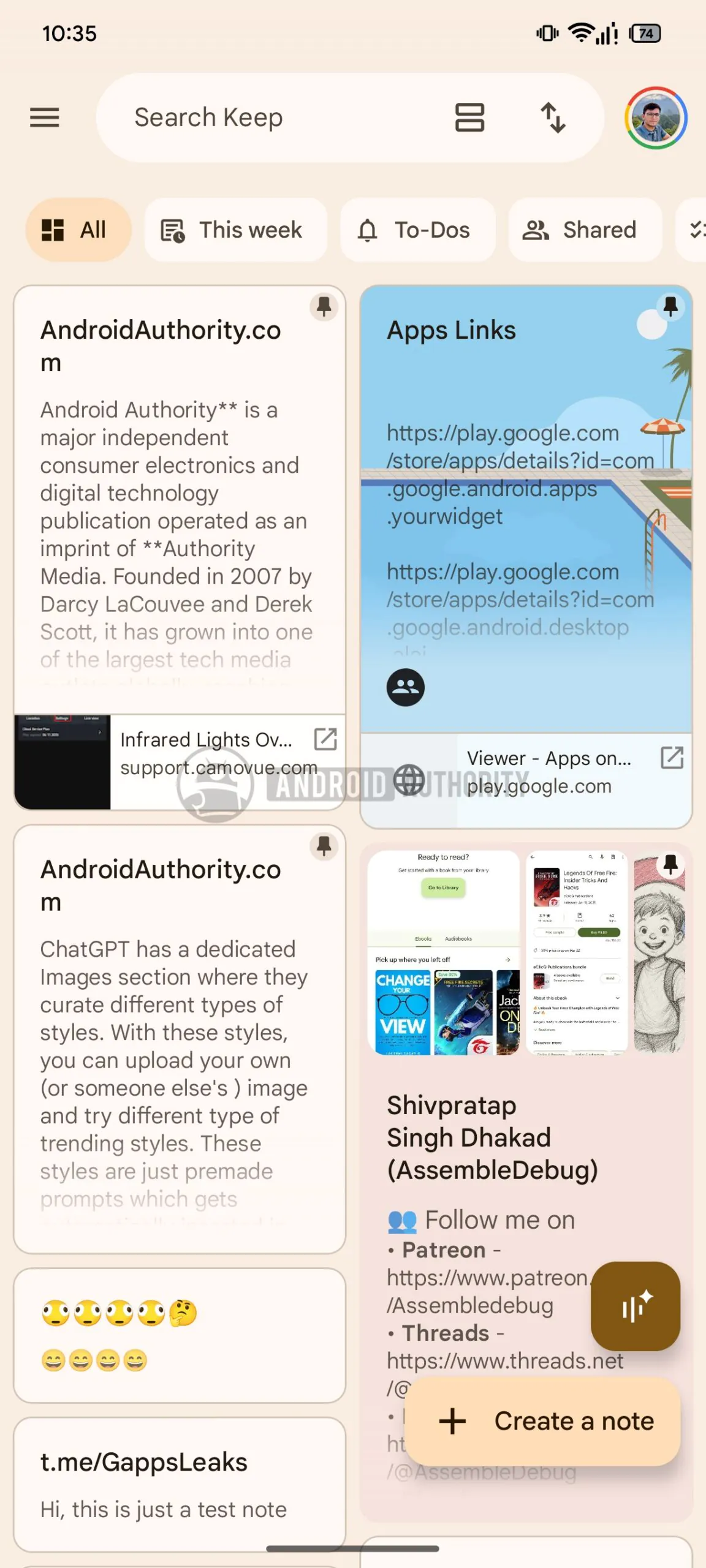
Once activated, these filters appear directly below the main search bar, offering immediate access without needing to navigate through secondary menus. The goal is clear: allow users to find their information with a single gesture.
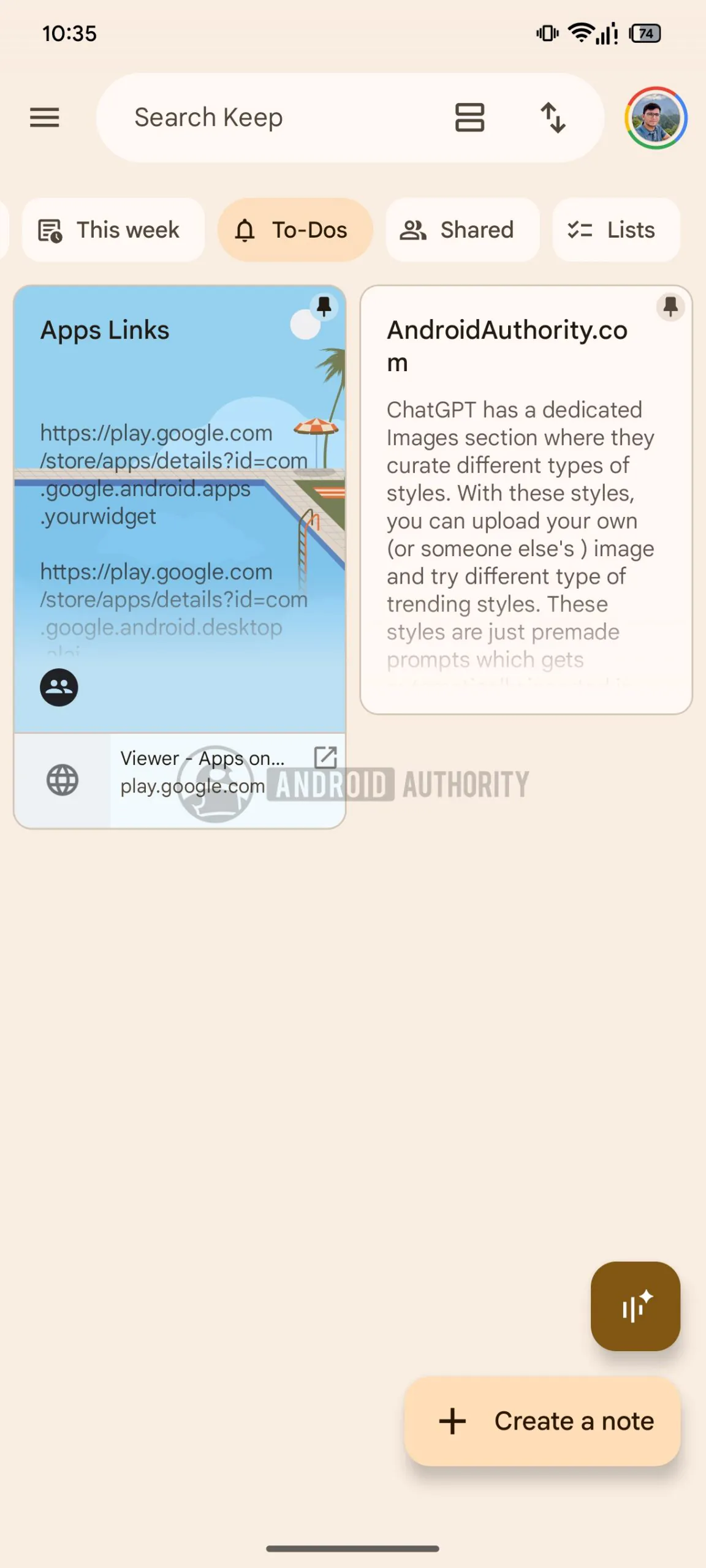
The Five New Sorting Categories
The interface now offers five distinct options to organize the note stream:
- **All**: The default view, displaying all content without restriction.
- **This Week**: A temporal filter that selects only notes created or modified during the current week.
- **To-dos**: A dedicated category exclusively grouping notes linked to tasks, reminders, and alerts.
- **Lists**: This filter specifically isolates notes structured as checklists.
- **Shared**: This option gathers all notes shared with other collaborative users.
A Smoother Interface for Daily Use
These new features do not replace existing functionalities but complement them. The app already offered, albeit less visibly, the ability to filter by type or color by tapping on the search bar. The major difference lies in the placement: these shortcuts are now located directly on the home screen.
It is important to note that these filters remain hidden within the Android app’s source code for the time being and have not yet been officially announced by Google. No mass deployment date has been communicated, but their presence in beta versions confirms their imminent arrival on your devices.
To optimize your productivity right now, it is recommended to monitor app updates to activate these features as soon as they are made public.
—