Windows 11: Disabling Secure Boot Could Block Your Apps
—
# Microsoft Tightens Windows 11 Security: The Risk of App Blocking
By Lev3lup.be

During its Ignite 2026 conference, held on Tuesday, November 17, Microsoft unveiled a major evolution in its cybersecurity approach. The company introduced “baseline protection” (Windows baseline protection), an integrated mechanism that aggregates eight essential security criteria to evaluate the integrity of a Windows device.

This innovation allows applications to rely on this data to determine if the system environment meets their minimum requirements. In case of non-compliance, developers will have the option to restrict certain features or outright prevent the launch of their software.
How Does This New Verification Work?
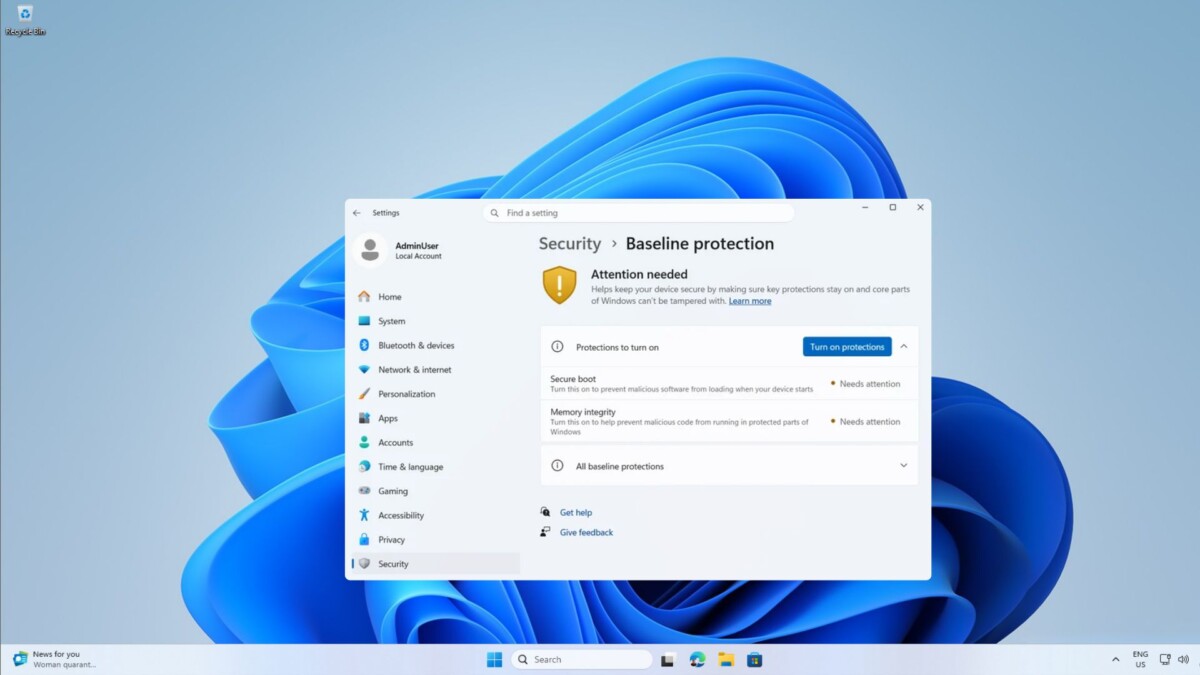
Currently available to Windows Insider program members, this feature is destined for a general rollout by early 2027. Its goal is clear: transform a series of individual checks into a global binary response. The system will simply indicate whether the PC passes or fails the check, listing the missing protections.
This centralized approach replaces the “à la carte” verifications conducted by each software publisher. For example, today, a bank might require a TPM 2.0 chip, while an anti-cheat game checks driver signatures. With baseline protection, Windows will provide a global status that simplifies for developers the decision to allow or deny execution.
The Eight Evaluation Criteria
- The new system specifically evaluates the following eight elements:
- **TPM 2.0**: The Trusted Platform Module.
- **Secure Boot**: Signature verification at boot.
- **VBS**: Virtualization-based security.
- **Signed Drivers Only**: Ban on uncertified drivers.
- **Windows Certified Drivers**: Validation by the system manufacturer.
- **Core Debugger Protection**: Prevention of access to debug mode.
- **Protection Against Vulnerable Drivers**: Filtering of risky drivers.
> “The platform indicates the status; you are responsible for the policy.”
> — Brandon Bray, Principal Product Manager for Windows at Microsoft.
Impact on Linux Dual-Boot Users
A direct consequence of this measure concerns users practicing dual-boot with Linux. To install an alternative operating system, it is often necessary to disable secure boot (Secure Boot) or memory integrity.
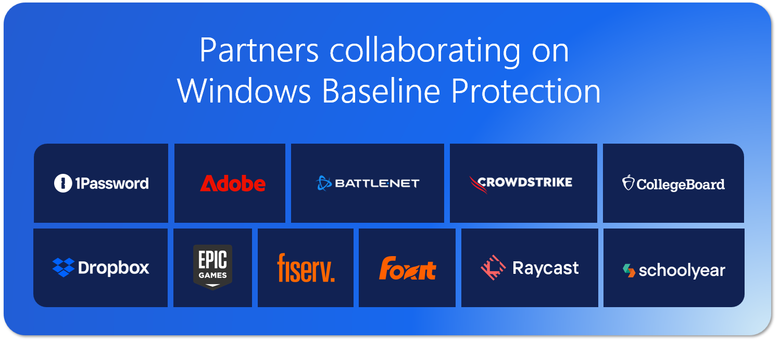
With the arrival of baseline protection, these configurations risk being immediately flagged as non-compliant. Sensitive applications, such as Adobe, Battle.net, 1Password, or Schoolyear (already tested by eleven companies), could then refuse to launch on a PC deemed “insecure”.
It is important to note that publishers have not yet announced they would systematically block these machines. However, software like Battlefield 6 already refuses to start without Secure Boot. Microsoft’s new feature simply formalizes and generalizes this logic.
Memory Integrity: A Point of Vigilance
Another crucial aspect affected by these changes concerns memory integrity (Memory Integrity). Although Microsoft advised in 2022 to disable this mechanism to gain performance, Windows 11 now automatically enables it on most machines.
If you chose to disable it manually for compatibility or performance reasons, your computer will fail the security check. Dana Huang, Vice President of Windows Security at Microsoft, explains that this requirement will be “versioned.” In other words, a device considered sufficiently secure today might not be tomorrow, as security thresholds are raised with each new update.
What Should Users Do?
Faced with an inevitable evolution in the technological landscape, caution is advised. Gamers and professionals must closely monitor the state of their hardware and software configuration. Disabling security functions to slightly optimize performance or installing a secondary operating system could become incompatible with running critical software.
Microsoft specifies that developers retain the right to decide on the severity of their blocks: they can choose to display a warning, lock certain features, or ban the application. For Lev3lup.be, this trend marks a new era where compliance with Windows security standards becomes an indispensable prerequisite for any application wishing to run on the operating system.
—